warp
The warp command in rAthena is used to create teleportation points or to move players programmatically. It can be used as a top-level command for permanent warp portals or as a script command to instantly teleport players within an NPC script.
🚪 warp Top-Level Command
The `warp` top-level command defines a static, permanent warp portal on a specific map. These warps are loaded when the map server starts and function as fixed entry/exit points for players.
Here is the standard structure for declaring a permanent warp portal:
<from mapname>,<fromX>,<fromY>,<facing>%TAB%warp%TAB%<warp name>%TAB%<spanx>,<spany>,<to mapname>,<toX>,<toY>
Parameter Explain:
from mapname: The map where the warp point will be located.fromX, fromY: The coordinates of the warp point on the from mapname.facing: The direction the warp object faces (irrelevant for functionality, usually 0).warp name: A unique name for the warp NPC. This can be used with enablenpc or disablenpc.spanx, spany: Define a rectangular area around fromX, fromY. If a player steps anywhere within this area, the warp is triggered.to mapname: The destination map.toX, toY: The destination coordinates on the to mapname.
// A warp portal from Prontera to Payon.
// Players entering the 3x3 area at prontera (150, 150) will be warped to payon (100, 100).
prontera,150,150,0	warp	WarpToPayon	1,1,payon,100,100

// Another warp portal from Payon back to Prontera.
payon,103,103,0	warp	WarpToProntera	1,1,prontera,153,153
In this script:
prontera,150,150,0: This defines themap name(prontera),xandycoordinates (150, 150) where the warp portal is located, and thefacingdirection (4, which is south) warping going topayon,100,100.payon,103,103,0: This specifies themap name(payon) and thexandycoordinates (103, 103) where the player will be warped going toprontera,153,153.1,1: These are thespanxandspany. This means the warp will activate if a player steps within a 1x1 cell area centered at the warp's coordinates.
This would look like this:
✨ warp Script Command
The warp script command is used within an NPC script to instantly teleport a player to a specified location. This is useful for quests, events, or custom teleporters.
📝 Command Syntax:
warp "<map name>",<x>,<y>{,<char id>};
Parameter Explain:
"<map name>": The destination map name (must be in quotes).
Special Map Names:"Random": Warps the player to a random location on their current map."SavePoint": Warps the player back to their saved spawn point.
"<x>,<y>: The destination coordinates on the map. Using 0,0 will warp the player to a random location on the map.{,<char id>}: (Optional) The character ID of the player to warp. If omitted, it defaults to the currently attached player.
//===== rAthena Script =======================================
//= Wizard Teleporter NPC
//===== By: rAthena AI Assistant ============================
//= Warps the player to a specified location, including random spots and save point.
//============================================================
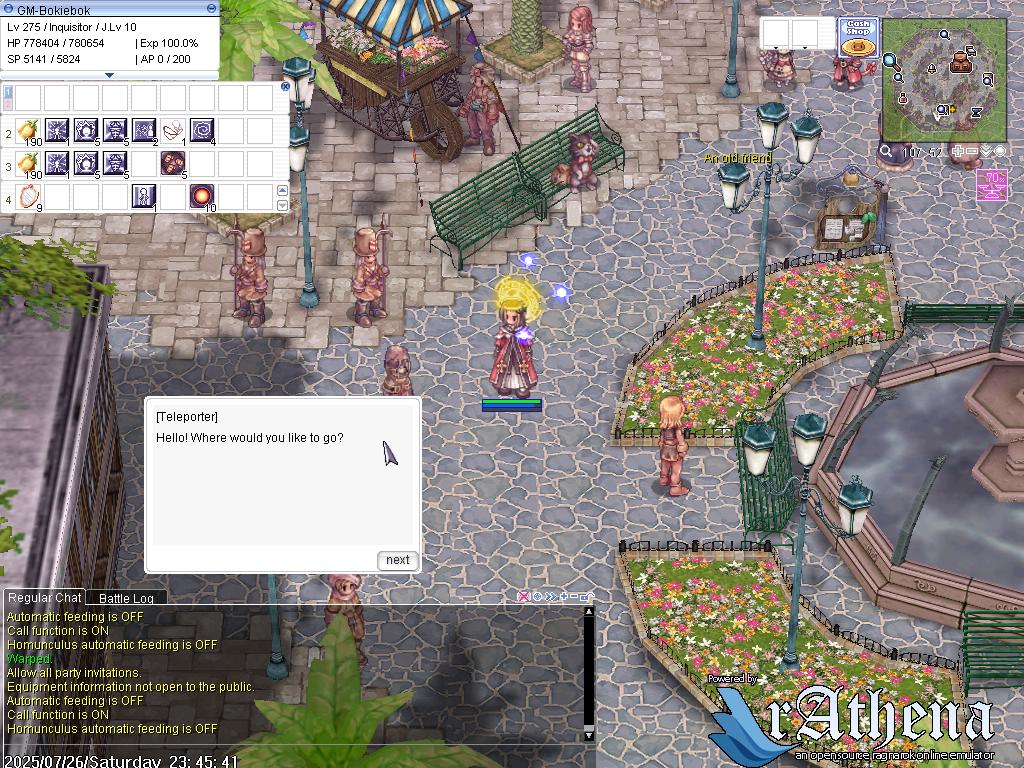
geffen,104,50,5	script	WizTeleporter	767,{
    mes "[WizTeleporter]";
    mes "Hello! Where would you like to go?";
    next;

    // Using select() to get the player's choice
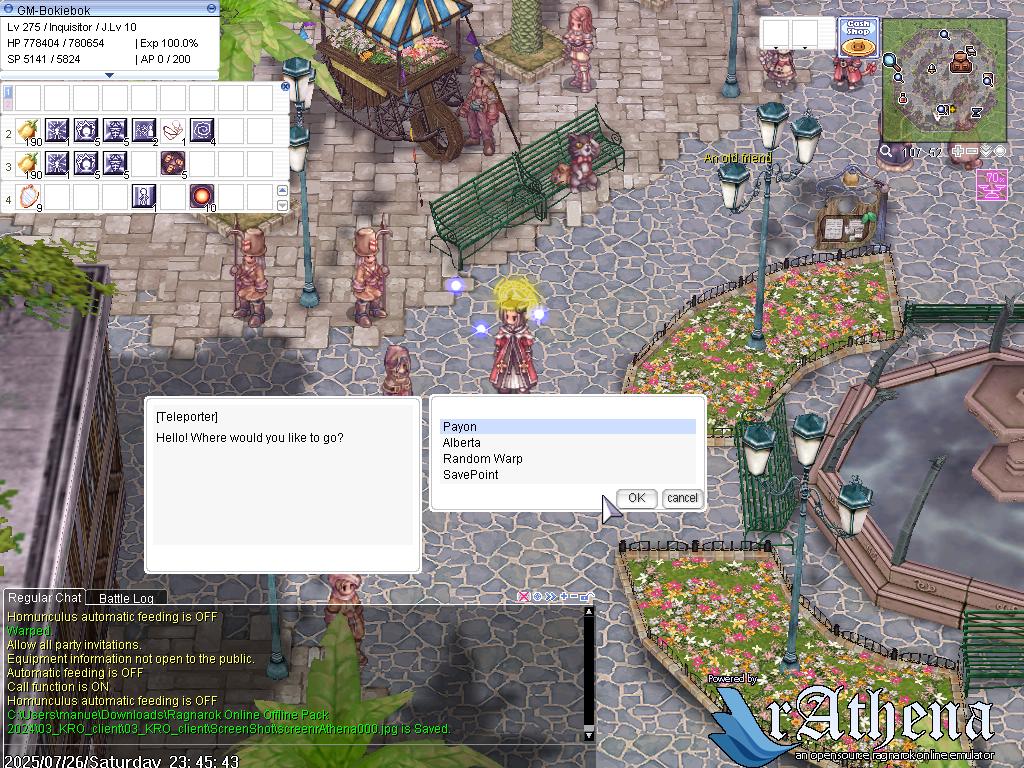
    .@menu_choice = select("Payon:Alberta:Random Warp:SavePoint");

    switch (.@menu_choice) {
        case 1:
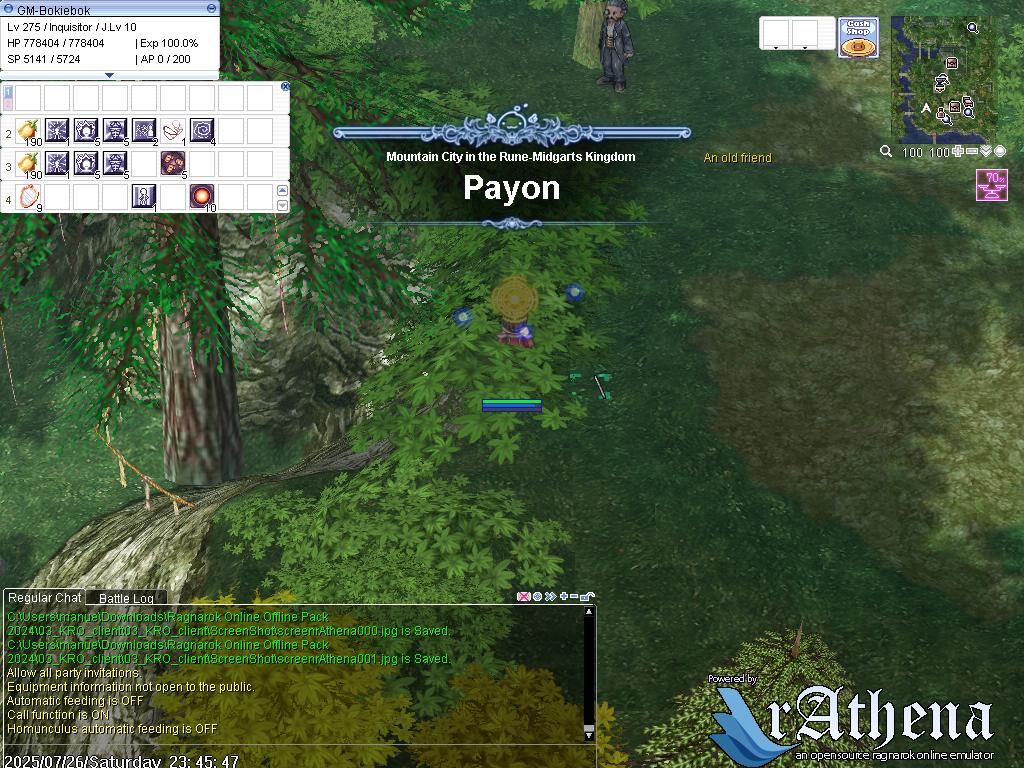
            mes "Warping you to Payon!";
            close2;
            warp "payon",100,100;
            break;
        case 2:
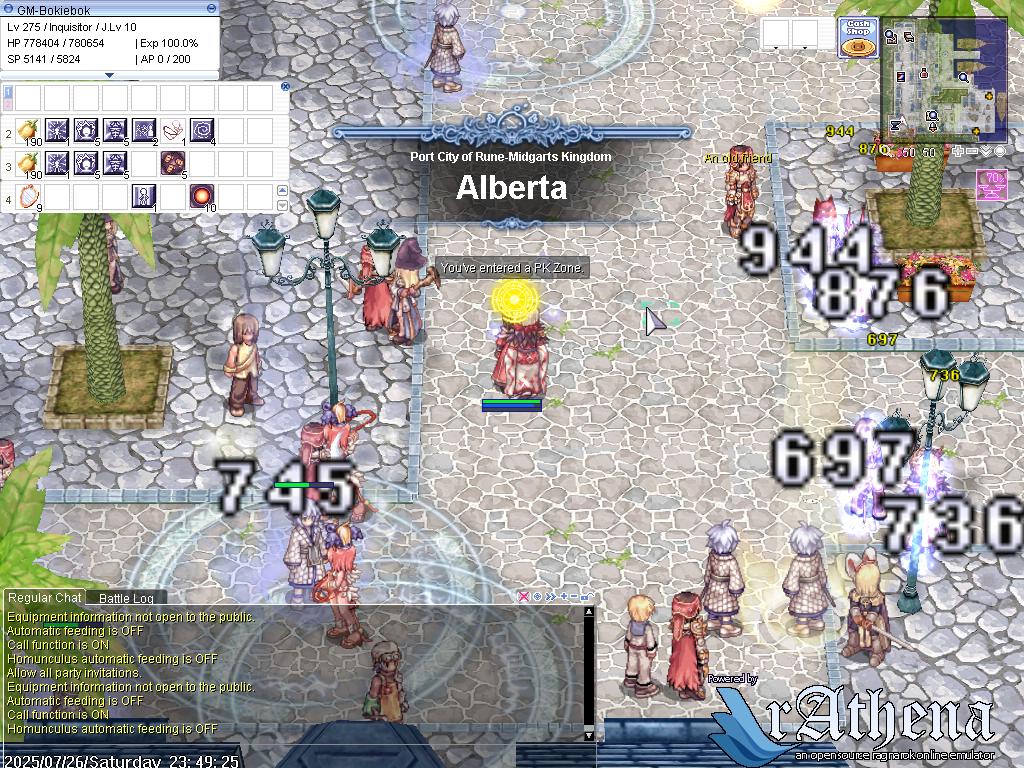
            mes "Warping you to Alberta!";
            close2;
            warp "alberta",50,50;
            break;
        case 3:
            mes "Warping you to a random spot on this map!";
            close2;
            warp "Random",0,0;
            break;
        case 4:
            mes "Warping you to your saved spawn point!";
            close2;
            warp "SavePoint",0,0;
            break;
    }
    end;
}
In this script:
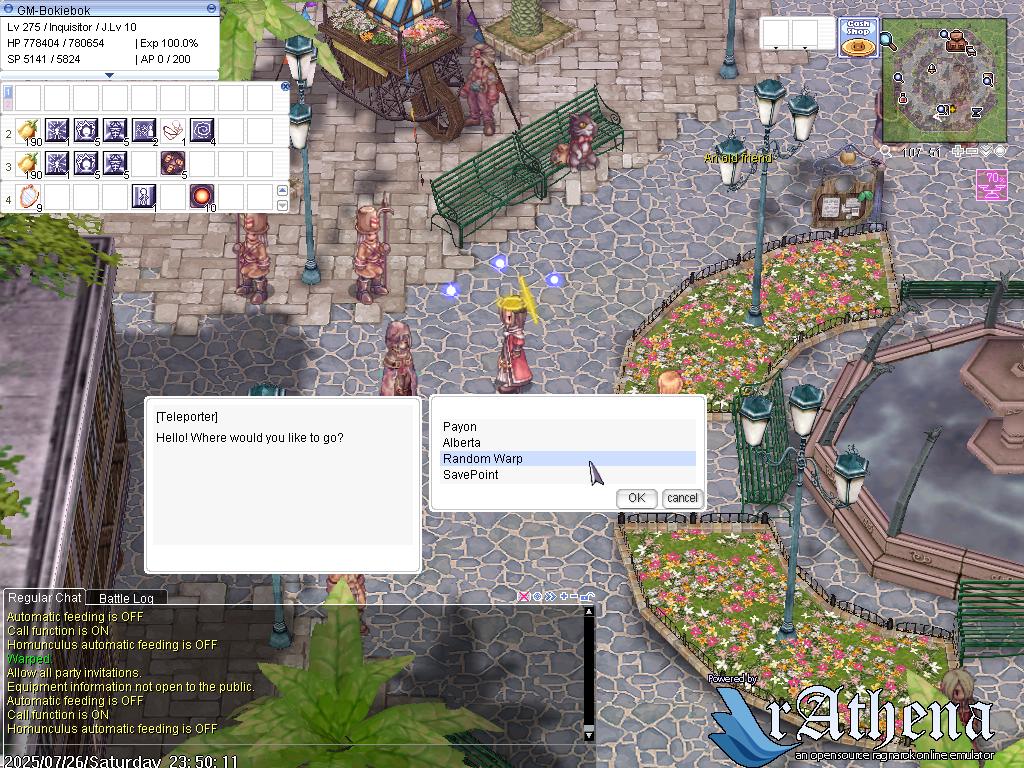
Defines a Teleporter NPC. This NPC offers players a menu with four options:
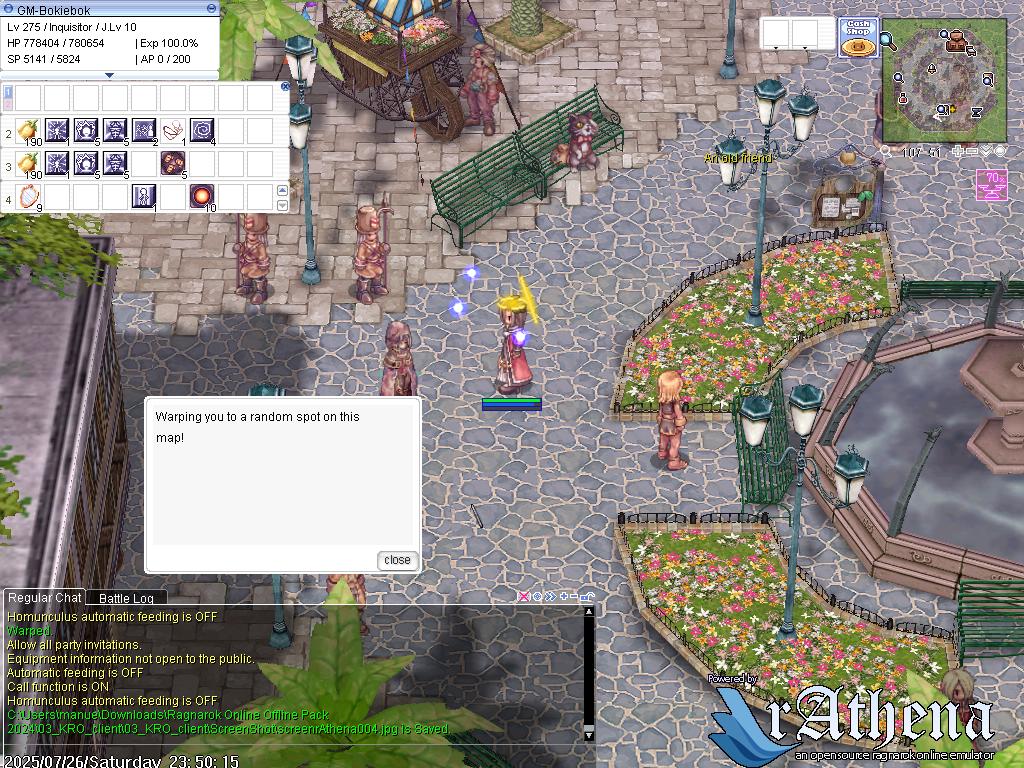
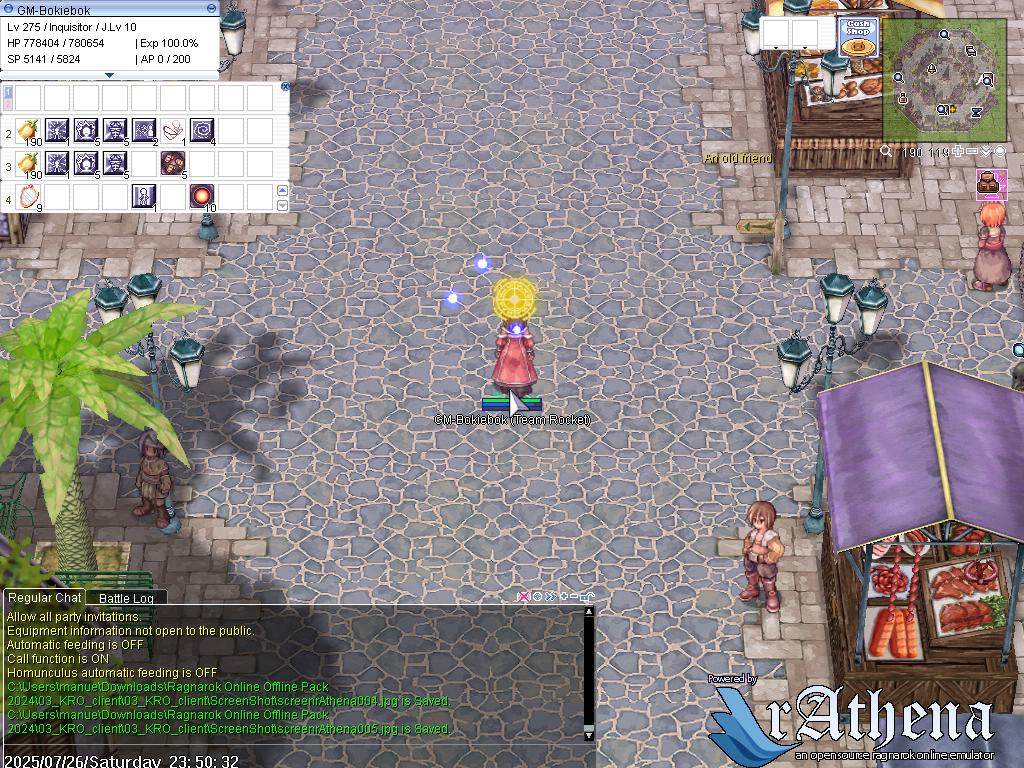
Payon: Warps the player to specific coordinates in Payon.Alberta: Warps the player to specific coordinates in Alberta.Random Warp: Warps the player to a random location on their current map (Prontera, in this case).SavePoint: Warps the player to their last saved spawn point.
It uses the select() function to capture the player's choice and a switch statement to execute the corresponding warp command.