mes, next, and close
The mes, next, and close commands are fundamental for creating interactive dialogues with NPCs in rAthena. Here's how they work:
💬 mes Command
The mes command is used to display text in a dialogue box to the player. You can provide one or more strings, separated by commas, to display multiple lines of text within a single message box. It also supports color codes and HTML-like tags for rich text formatting.
Syntax: mes "<string>"{,"<string>"{,...}};
➡️ next Command
The next command creates a 'Next' button in the dialogue box. When the player clicks this button, the current message box clears, and the script continues execution to the next set of commands, typically another mes command to display a new page of dialogue.
Syntax: next;
❌ close Command
The close command creates a 'Close' button in the dialogue box. When the player clicks this button, the dialogue box disappears, and the NPC script execution ends. It's crucial to use close (or end;) to properly terminate an NPC script after a conversation, otherwise, the script might continue running in the background or cause unexpected behavior.
Syntax: close;
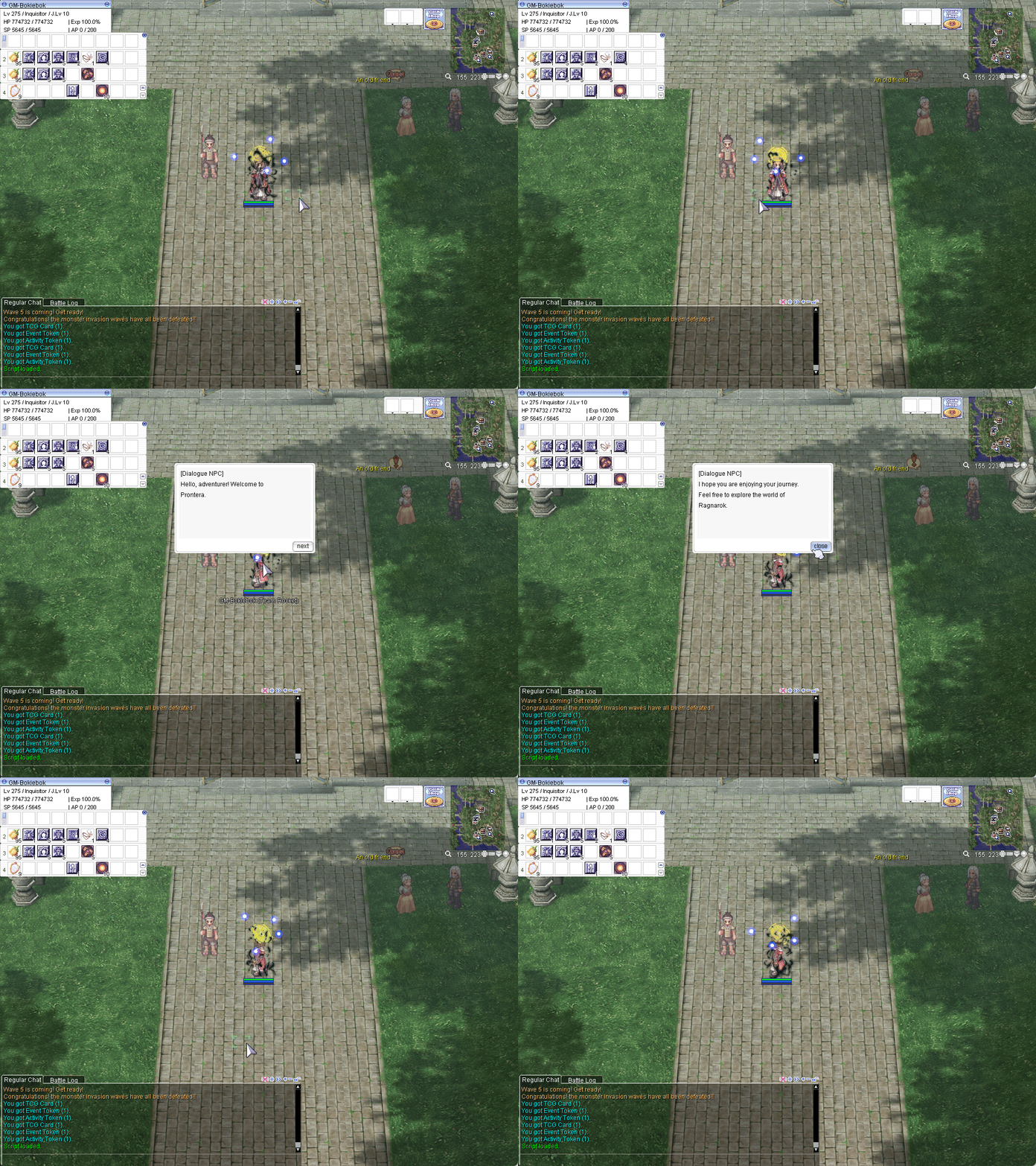
Here's a simple NPC script demonstrating the use of mes, next, and close:
//===== rAthena Script =======================================
//= Dialogue NPC
//===== By: rAthena AI Assistant ============================
//= Demonstrates mes, next, and close commands.
//============================================================
payon,152,225,4	script	DialogueNPC	767,{
    mes "[Dialogue NPC]";
    mes "Hello, adventurer! Welcome to Prontera.";
    next;
    mes "[Dialogue NPC]";
    mes "I hope you are enjoying your journey.";
    mes "Feel free to explore the world of Ragnarok.";
    close;
}
In this script:
The NPC's presence in the game world is established on the payon map at coordinates 152,225, facing direction 4 (towards the bottom of the map). It is defined as a script type NPC, with DialogueNPC as its visible name, and it visually appears as a male Japanese soldier, corresponding to sprite ID 767 (JT_8_M_JPNSOLDIER).
- The first two
meslines display the initial greeting. next;creates a 'Next' button, allowing the player to proceed.- The subsequent
meslines display the second part of the dialogue after the player clicks 'Next'. close;creates a 'Close' button, ending the conversation and the script when clicked.
This would look like this: